
All-in-One Business Software vs Separate Apps: How to Choose
All-in-one business software vs separate apps: the real costs of a tool stack, when separate apps win, a buyer's checklist and how to switch safely.
Key takeaways
- All-in-one business software puts customers, leads, conversations, booking, reviews and marketing behind one login and one shared customer record.
- The biggest cost of separate apps isn't the subscriptions: it's leads lost in the gaps, customer lists that drift apart and accounts nobody remembers to shut off.
- Separate specialist tools still win for accounting, payroll, dispatch and routing, so most service businesses do best with one core platform plus one or two specialists.
- Test any platform in the first two days: submit your own form, book your own appointment and check you appear as one contact with one thread.
- Switch safely by exporting every list first, merging on email address, importing, reconnecting lead sources and moving booking last.
On this page
- What all-in-one business software actually covers
- All-in-one business software vs separate apps, side by side
- What a stack of separate apps really costs
- When separate apps are the better choice
- A checklist for choosing all-in-one software for a service business
- What it costs, and how to compare honestly
- Where Bluu fits, and who it isn't for
- How to switch without losing a single contact
All-in-one business software puts your customer list, leads, conversations, booking, reviews and marketing behind one login, with one shared record of every customer. For most local service businesses with a small team and leads coming from several places, it beats a stack of separate apps, because the expensive part of separate apps isn't the bills. It's the gaps between them, where leads go quiet and nobody notices.
Separate apps still win in a few cases, and we'll name them. Here's how to decide, what to check before you buy, and how to switch without losing a single contact.
What all-in-one business software actually covers
The phrase gets stretched. Some products call themselves all-in-one because they bundle ten logins under one bill. That isn't the point. The test is simple: when a customer does something in one place, does every other part of the system know?
Say a homeowner fills in your quote form at 9 pm on a Saturday. In a real all-in-one setup, that one form response becomes a lead with a clock on it, a contact with their details, and a conversation you can answer by text or email from the same screen. If they book an appointment on Tuesday, it lands on the same customer record. If you ask for a review after the job, it goes to the right person without anyone copying a phone number between apps.
For a local service business, the core usually means:
- A CRM: one record per customer, with history.
- Leads: every inquiry from every source in one list.
- Inbox: website chat, email and text in one thread per person.
- Booking: online appointments with reminders.
- Reviews: requests and replies.
- Marketing: email, texts and social posts.
- Numbers: where inquiries came from and how fast you answered.
What it usually doesn't cover, and shouldn't pretend to: your accounting, payroll, and the deep job-costing and dispatch tools some trades need.
All-in-one business software vs separate apps, side by side
| Separate apps | All-in-one business software | |
|---|---|---|
| Logins per staff member | One per tool | One |
| Customer list | A copy in every tool, slowly drifting apart | One record, updated everywhere |
| New lead from your website | Lands in whichever tool owns that form | Lands in one leads list with the time it's been waiting |
| A new hire's first day | Invites to every tool, if you remember them all | One invite, with a role that decides what they can open |
| Someone leaves | Remove them from every tool, one by one | Remove one login |
| Depth in any single job | Often deeper | Usually enough for a small team, sometimes less |
| Monthly bills | Several, each with its own renewal date | One plan, plus any upgrades you choose |
| When something breaks | Each vendor blames the connection | One support team |
Read the table from the left column and you'll see the real argument. Each separate tool might be excellent at its own job. The trouble lives in the rows about people and customers moving between them.
What a stack of separate apps really costs
The subscriptions are the cost you can see. Three others are bigger.
Every hire and every exit touches every tool
Five tools and four staff is twenty accounts to create, and twenty to remember to shut off. People forget. A 2024 CISA advisory (opens in a new tab) describes an attacker getting into an organization through a former employee's account that was never disabled. The FTC's cybersecurity guidance for small businesses (opens in a new tab) also tells owners to require multi-factor authentication, which is one more thing to switch on and check in every tool you pay for.
Fewer logins doesn't make you secure on its own. It makes the job small enough that it actually gets done.
Your customer list splits into versions
Your booking tool has one phone number for a client, your email tool has an old one, and your text tool has none. Now a reminder goes to a dead number and a promotion goes to someone who asked you to stop. Nobody did anything wrong. The tools just don't talk.
Leads fall into the gaps
This is the expensive one. A chat inquiry sits in one inbox, a form response sits in another, and the person who answers texts never sees either. With several tools, nobody can answer a basic question: how many inquiries came in this week, and how many got a reply within the hour? If you can't see it, you can't fix it. And the leads you already paid for with ads or a website quietly go to whoever answered first.
That second number has a name, speed to lead, and it is the first one worth measuring the week you move everything into one system.
When separate apps are the better choice
All-in-one isn't right for everyone. We'd keep separate tools in these cases:
- You live inside one specialist tool already. A trade that runs on dispatch, routing and job costing should keep that system and add customer-facing tools around it.
- You need accounting depth. Keep your accounting and billing software. A customer-facing platform shouldn't replace your books.
- One job is your whole business. A business that is mostly an email newsletter may want the deepest email tool money can buy.
- You have someone whose job is integrations. If a staff member enjoys wiring apps together and keeping them in sync, the gaps hurt less.
For most owners, the honest answer is a hybrid: one platform for everything customers touch, plus the one or two specialist tools your trade can't live without.
A checklist for choosing all-in-one software for a service business
Before you start any trial, write down your answers to these. Then test each one in the first two days, not the last.
- Does a form response, a chat and a booking all create the same kind of customer record? Submit your own form and book your own appointment, then look for yourself in the contact list.
- Can you see how long each lead has waited? Speed matters more than polish. You want a clock on every inquiry and an alert on your phone, not just in your email.
- Is chat, email and text in one thread per person? If replies to your texts land somewhere else, you're back to separate apps.
- Can you give a front desk person access to bookings without your marketing numbers? Roles with per-app access matter as soon as you hire.
- Does it work on a phone? Owners of service businesses aren't at a desk. Check every screen you'll use daily on your actual phone.
- Can you get your data out? Ask how to export contacts and leads to a spreadsheet before you put anything in.
- What costs extra? Texts, phone numbers and AI features are often paid on top. Make the vendor show you every add-on price before you enter a card.
What it costs, and how to compare honestly
Prices across this category vary a lot, and they change, so don't trust anyone's comparison chart, ours included. Do this instead: open your bank statement and list every tool that touches a customer.
| What it does | What you pay now each month |
|---|---|
| Customer list or CRM | |
| Online booking | |
| Website chat | |
| Email marketing | |
| Texting | |
| Review requests | |
| Social scheduling | |
| Forms | |
| Total |
Add the time too: how many hours a week someone spends copying contacts between tools, or checking three inboxes. That number is usually what tips the decision.
For a direct comparison, Bluu is $149 a month on the current limited offer ($199 list), with 7 days free. A card is needed to start, and if you cancel before day 8 you aren't charged. That plan includes contacts, leads, chat with your team answering, appointments, reviews, forms, pipeline, templates, analytics and social posting. Some things are paid upgrades: AI Chat that answers visitors for you, the email marketing plans (there's no free email plan), Social Pro or Max, and a website built for you. Texts and a business texting number are paid from a prepaid balance. The full list is on our pricing page.
Where Bluu fits, and who it isn't for
Bluu is one dashboard for the customer-facing side of a local service business. Your whole team signs in with one login each, and an Owner decides what each role can open.
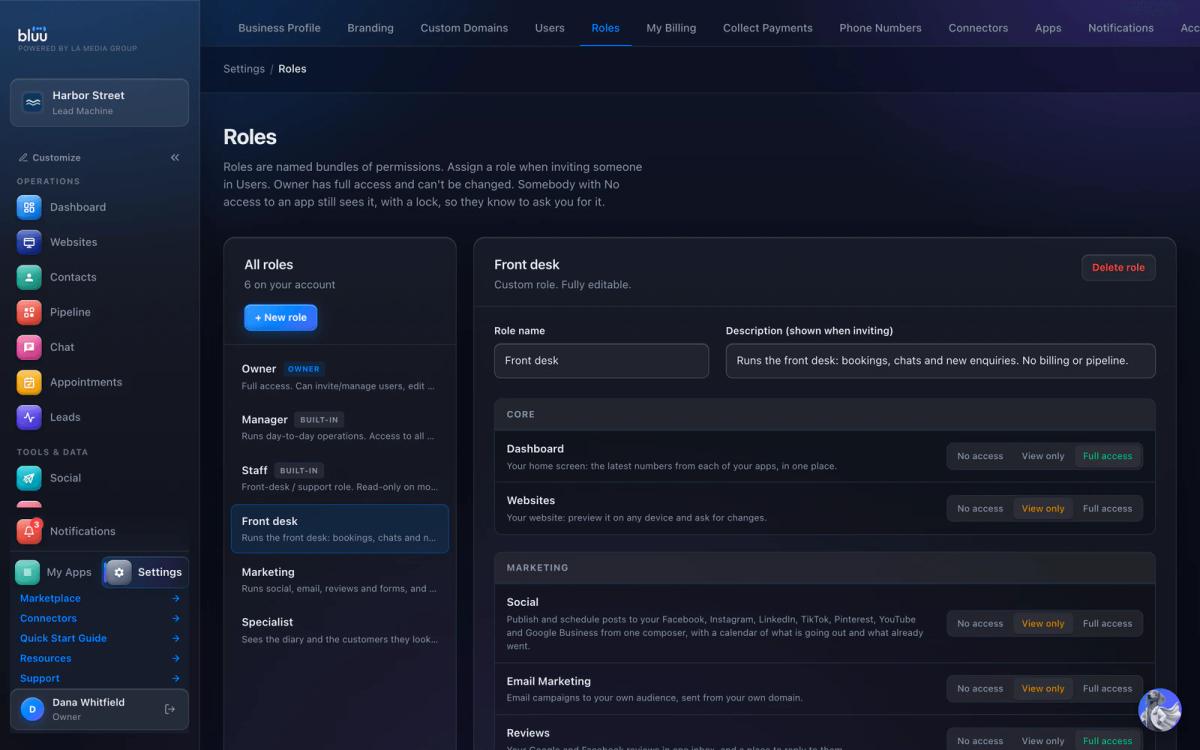
Here's how the pieces connect:
- Every inquiry, from your website forms, your website chat, online bookings, Facebook Lead Ads and more, lands in Leads with how long it has waited. One nobody opened within an hour gets flagged, and your team is alerted at once.
- Each person is one record in Contacts, matched by email so a returning customer isn't duplicated.
- Appointments handles online booking with reminders and deposits through your own Stripe. If no-shows are a problem, here's how to reduce no-shows with a reminder schedule you can copy.
- Reviews, social posting and email marketing all start from the same contact list, so you never upload a list again.
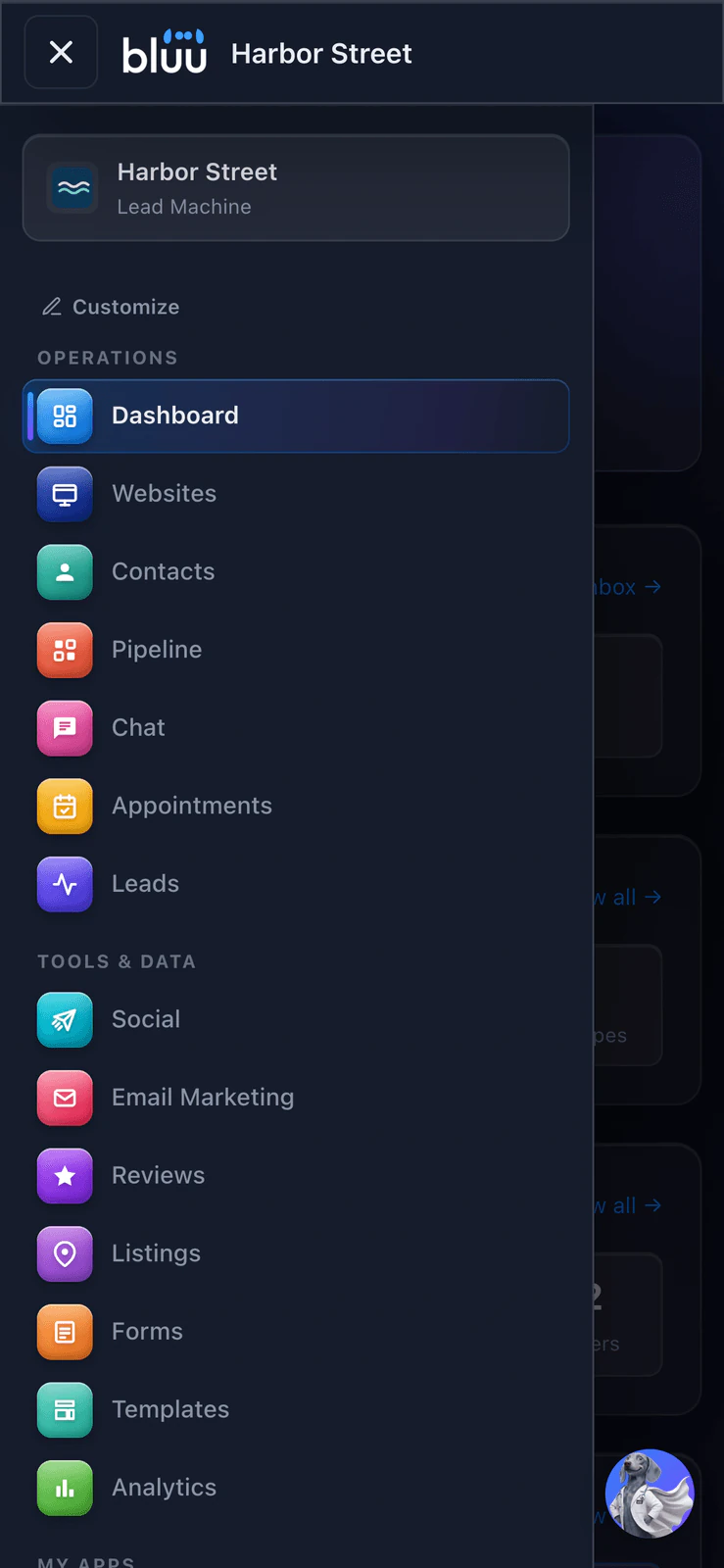
It runs on your phone too, and installs to your home screen from the browser.
Who it isn't for: businesses outside the United States, anyone who needs invoices, payroll or accounting in the same tool, trades that need dispatch and routing, and health practices that would store health records (it isn't built for that). Calendars sync with Google Calendar only. If those are deal breakers, keep the specialist tool and look at whether the rest still saves you work.
How to switch without losing a single contact
The fear is losing data. The fix is doing it in order, and running both setups side by side for a short while.
- Export everything first. Download your customer list from every tool as a spreadsheet, including the booking tool and the email tool. Keep the originals somewhere safe.
- Merge before you import. Combine the files into one, with one row per customer. Email address is the best column to match on.
- Import into the new system. A good importer skips duplicates. Then search for five customers you know well and check their details came across.
- Reconnect where leads come in. Point your website forms, chat and ad lead forms at the new system, and submit a test from each one.
- Move booking last. Share the new booking link, but leave the old one live for two weeks so nobody gets a broken page.
- Cancel the old tools one at a time. Check each renewal date and turn off the ones that renew soonest first.
In Bluu, the Quick Start guide walks you through setup from the first screen, starting with your Business Profile, and the contact importer matches your spreadsheet columns and skips people already there. Pick one quiet afternoon, move your leads first, and see what you stop missing.
Frequently asked questions
Is all-in-one business software worth it for a small business?
For most small service businesses with a few staff and leads from several places, yes. The savings come less from the bills and more from one customer record, one inbox and one login per person. If your business depends on one deep specialist tool, keep it and use an all-in-one platform for the customer-facing work around it.
What are the disadvantages of all-in-one software?
You depend on one vendor, and a single feature may be less deep than the best standalone tool for that job. Check that you can export your data to a spreadsheet at any time, and test the features you use daily during the trial rather than trusting a feature list.
What is the difference between all-in-one and best-of-breed software?
Best-of-breed means picking the strongest separate tool for each job and connecting them. All-in-one means one platform where the jobs share the same customer data. Best-of-breed gives depth; all-in-one gives fewer gaps, fewer logins and less upkeep.
How many apps does a small service business usually need?
A typical setup covers a customer list, lead tracking, website chat, booking, email and text marketing, review requests, social posting and forms. Bought separately that is often six to eight tools, each with its own login and its own copy of your customers.
How do I switch to all-in-one software without losing data?
Export every customer list as a spreadsheet, merge them into one file matched on email address, then import. Reconnect your website forms and chat, test each one, move booking last and keep the old tools running for about two weeks before you cancel them.
Sources
- CISA and MS-ISAC advisory AA24-046A: Threat actor leverages compromised account of former employee (opens in a new tab)cisa.gov/news-events/cybersecurity-advisories/aa24-046a
- FTC: Cybersecurity for Small Business (opens in a new tab)ftc.gov/business-guidance/small-businesses/cybersecurity
Bluu
Your whole business, in one place.
Leads, chat, booking, reviews, email, texts, forms and your website in one dashboard that talks to itself.
$199 $149 /month
$50 off every month, locked in for as long as you stay.
Start your 7-day free trial7 days free, card required. Cancel before day 8 and you won't be charged.
See pricing