Skip to content
Powered by LA Media Group
  • Pricing
  • Websites
  • Book a call
Log inStart free for 7 days

Run the business

  • DashboardYour whole business on one screen
  • WebsitesYour site, built and run for you
  • ContactsEvery customer, one record each
  • PipelineEvery deal, and what happens next
  • ChatWebsite chat, email and texts in one thread
  • AppointmentsOnline booking that can't double book
  • LeadsEvery enquiry, one inbox

Grow and get found

  • SocialPost to every channel from one place
  • Email MarketingUpgradeCampaigns, automations and an AI manager
  • ReviewsGet more reviews, answer every one
  • ListingsUpgradeRight details on 90+ directories
  • FormsForms that fill your CRM
  • TemplatesWrite it once, use it everywhere
  • AnalyticsWhat's working, while it's happening

Marketplace

  • Blog WriterSEO-ready posts from a topic
  • Products & PackagesSell packages and memberships
  • EventsAn events calendar on your site
A business owner reading a website chat on her phone, from the Bluu filmSee all of it in 3:18The Bluu filmSee every app
Bluu AI Trained on your business, not the internet's

AI that does the work

AI Chat AIAnswers your website day and night, captures every lead and books the appointment.Bluu Assistant AIYour digital doctor on every screen. Ask how to do anything, in plain English.Email Marketing AIAsk for a campaign, a list or an automation. It builds the draft for your yes.Social AIWrites posts for every channel from your Business Profile. You approve every one.Blog Writer AIA finished, SEO-ready post from a topic or a service name.

Powered by LA Media Group

Want us to grow it for you?

The agency behind Bluu runs your ads, SEO, website and email, and every result lands in your dashboard, live.

All marketing services Book a call with our team
Facebook & Instagram adsReach the people who didn't know they wanted it, before they start lookingGoogle AdsBe the first thing they see, the moment they need youLocal SEOGet found by the people already looking for youWebsitesA website that brings you work, not complimentsEmail & SMSThe cheapest customer is the one you already hadContentAnswer the questions before they call anyone, and get quoted by Google and AI answers

Run the business

DashboardWebsitesContactsPipelineChatAppointmentsLeads

Grow and get found

SocialEmail MarketingReviewsListingsFormsTemplatesAnalytics

Marketplace

Blog WriterProducts & PackagesEvents
Marketing by LA Media GroupPricingWebsitesBook a callLog in
Start your free 7 days

Your whole business.
One login.

Start free for 7 days Book a call

Questions? info@lamediagrp.com. We answer by email and on booked calls.

Run the business

  • Dashboard
  • Websites
  • Contacts
  • Pipeline
  • Chat
  • Appointments
  • Leads

Grow and get found

  • Social
  • Email Marketing
  • Reviews
  • Listings
  • Forms
  • Templates
  • Analytics

Marketplace

  • Blog Writer
  • Products & Packages
  • Events

Bluu

  • Every app
  • Pricing
  • Websites
  • Book a call
  • Log in
  • Start free
  • Terms of Service
  • Privacy Policy
  • Launch offer terms
  • Cancellation policy
  • Refund policy
  • Acceptable use
  • Messaging terms
  • AI terms
  • Website services terms
  • Data processing
  • Cookies
Powered by LA Media Group© 2026 LA Media Group LLC. Bluu is made by LA Media Group.Davie, Florida · info@lamediagrp.com
From$149/monthStart freeSee pricingPricing

Apps / Grow and get found

Write it once. Use it everywhere.

The messages your team sends most, in one library. Reviews, Chat, Contacts and Pipeline can all pull from it, so nobody writes the same sentence twice.

Start free for 7 days Book a call

Templates is included in Bluu, $149/month with every standard app.
bluu.lamediagrp.com/templates
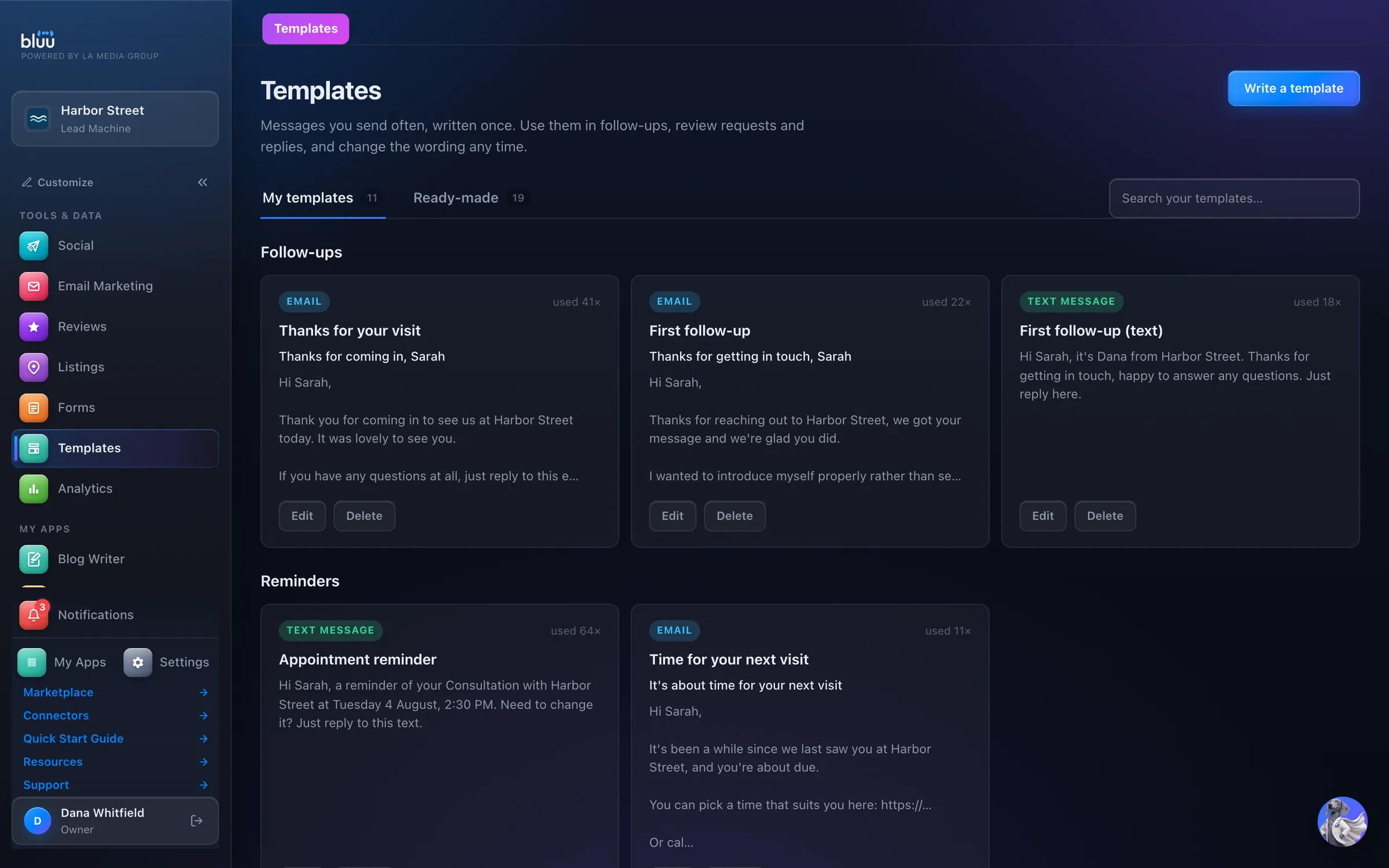
Templates in the Bluu dashboard, shown with Harbor Street, a sample business

Shown with Harbor Street, a sample business.

What Templates does

Write it once, use it everywhere.

Templates is the library of messages your team sends most: follow-ups, booking confirmations, reminders, review requests, review replies, offers and chat replies. Write them once, and everyone sends the same words.

It starts full. 19 ready-made templates wait on the Ready-made tab. Press Add to my templates and one becomes yours to reword however you like.

Pick a template in Reviews, Chat, Contacts or Pipeline and it arrives filled in with the customer's name, your business details and your own name. You read exactly what they'll read, and can still change it before you send.

01

One voice

Your whole team sends the same well-written message, not their own version of it.

02

No more Hi ,

Details fill themselves in, and anything that can't be filled is left out tidily, never sent as a gap or a raw tag.

03

Faster replies

The right message is one press away, in the box you're already typing in.

At a glance

Everything it does, in plain words.

19 ready on day one

Follow-ups, confirmations, review requests, reminders and offers.

13 fill-in tags

First name, business name, appointment time, location, deal, a link, your name and more.

Right where you type

A Templates button sits next to the message box in Reviews, Chat, Contacts and Pipeline.

No blanks

It flags a tag that can't be filled where you're using it, so nobody gets 'Hi ,'.

Text-length aware

It counts text segments as you type, so you know what a message will cost.

How it works

From first look to second nature.

  1. 1

    Start from the library

    Open the Ready-made tab and press Add to my templates on the ones you want.

  2. 2

    Make it yours

    Press Edit, change the wording, and watch the What they'll see preview change as you type.

  3. 3

    Add details that fill themselves in

    Press a chip like First name or Appointment date & time, and it drops in where your cursor is.

  4. 4

    Use it anywhere

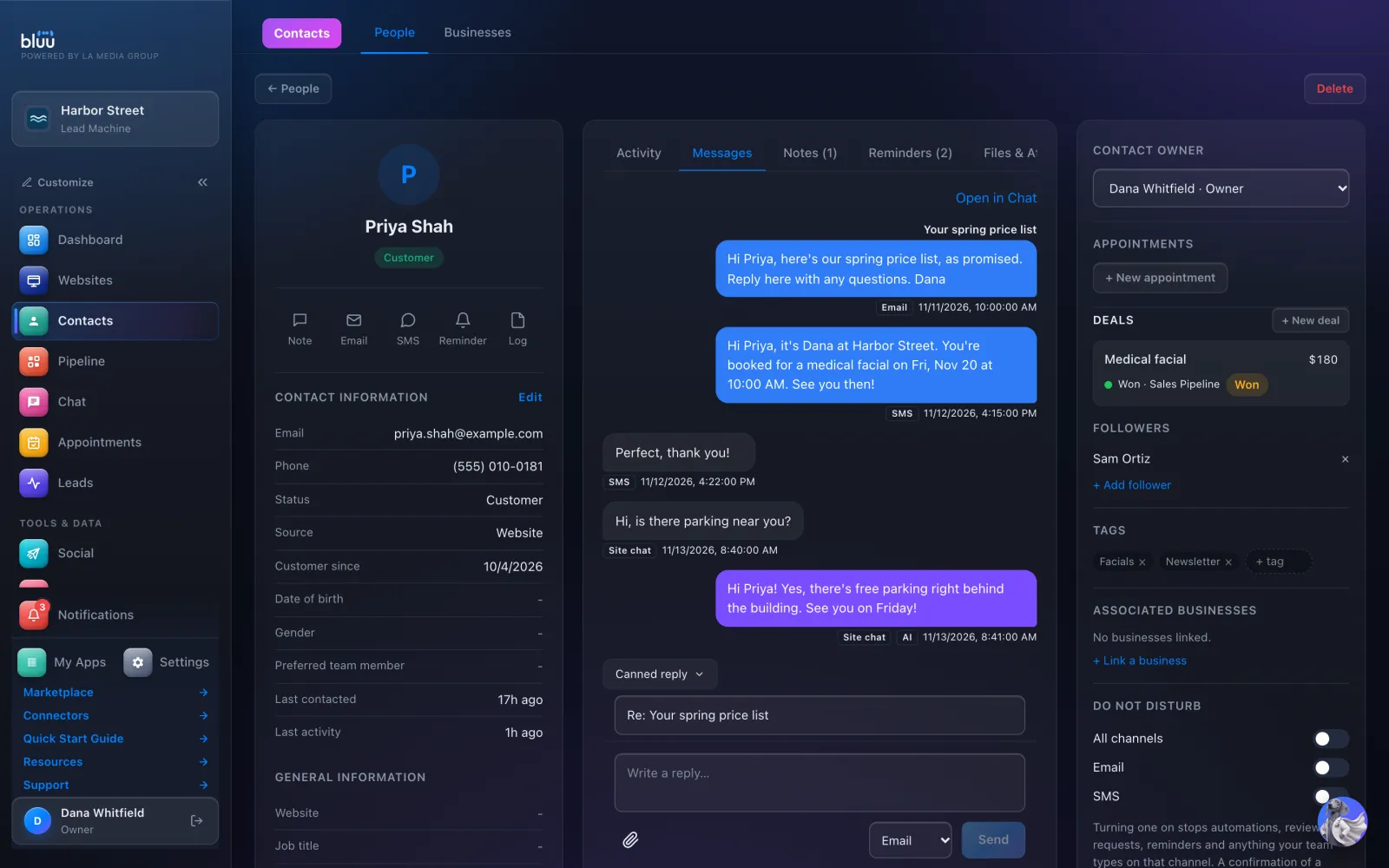
    Press Templates in Reviews or Contacts, Canned reply in Chat, or Use a template in a Pipeline automation.
    Use it anywhere

In depth

Every part of Templates.

19 ready on day one

Written to send as they are, grouped by what they're for.

  • Follow-ups. A first follow-up by email or text, Checking back in, and After sending a quote.
  • Appointments and reminders. Booking confirmation, an appointment reminder by text, Missed appointment, Time for your next visit and Outstanding invoice.
  • Reviews. Ask for a review by email or text, and replies to a good, a poor and a mixed review.
  • Welcome and offers. Welcome a new customer, and Share an offer, marked Fill this in first so your own offer goes in.
  • Chat replies. Opening hours, Passing you to someone, and a reply to a pricing question that never quotes a number.

Details that fill themselves in

13 of them, offered only where they make sense.

  • The basics, everywhere. First name, last name, full name, your business name, your phone number, your address, your website and your name.
  • The right ones for the job. Appointment messages add the appointment name, date and time, and location. Follow-ups add a link and the deal name.
  • Warned before it's blank. Use a detail that kind of message can't fill and a warning appears while you write, so nobody gets an empty gap.
  • Still to fill in. Anything left over, like a link, is named under the box so you can type it in before you send.
  • Never a raw tag. At send, anything unfilled is removed and the punctuation tidied. A message with nothing left in it is refused.

Built for every channel

Email, text message, or a reply or note.

  • A live preview. An email card or a text bubble beside the editor, filled with example details.
  • Text-length aware. It counts characters and texts as you type, notes when an emoji cuts each text from 160 characters to 70, and caps a text template at 480.
  • Easy to find. My templates are grouped by what they're for, with a search across names, subjects and messages.
  • Rewording is safe. Picking a template pastes it, so changing the wording later never rewrites a message already set up.
  • See what gets used. Every card shows how many times your team has used it.

See more of it

The real screens.

Canned reply sits right above the reply box on a contact's Messages tab.
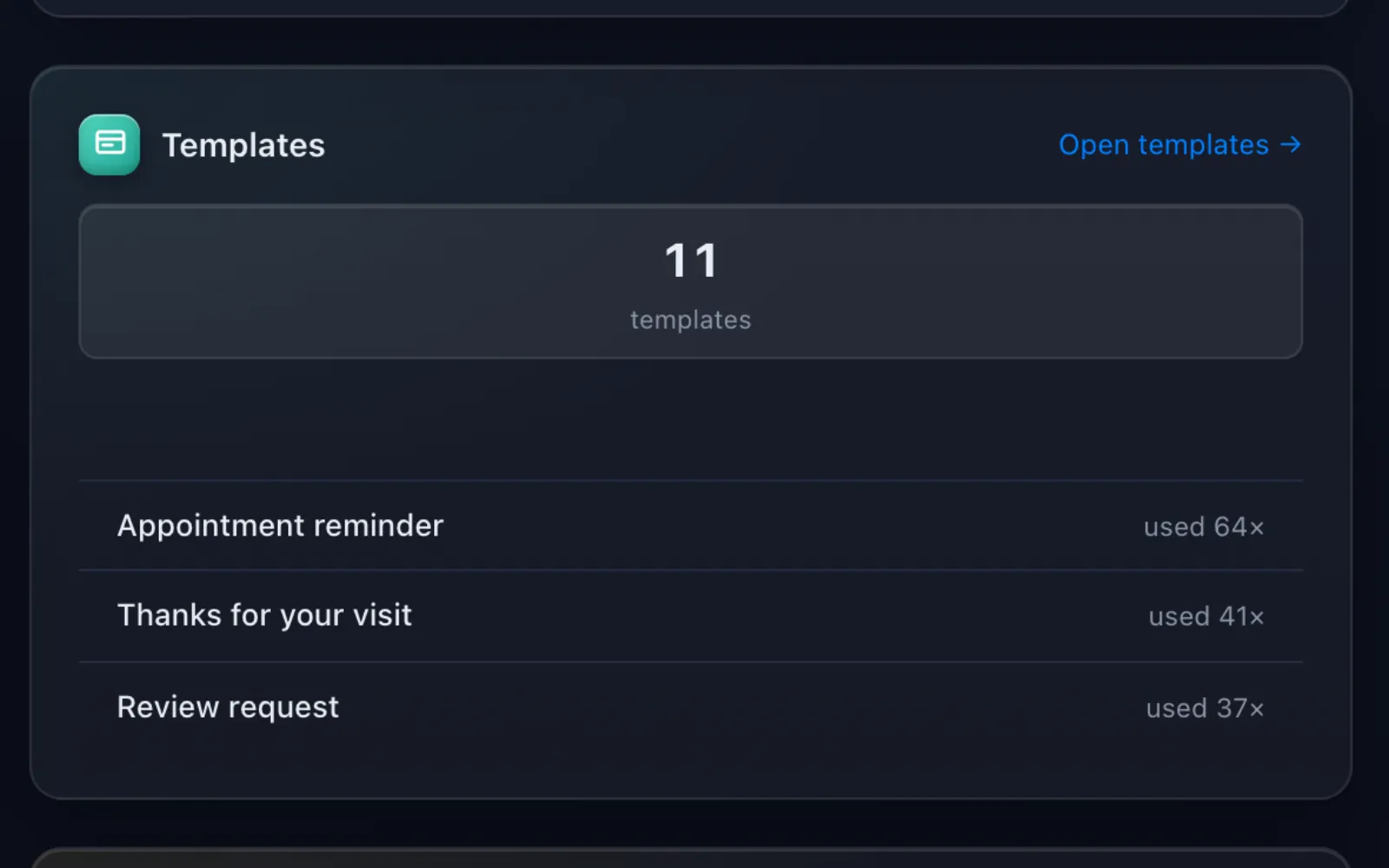
Your Dashboard shows how many templates you have and which ones your team uses most.

It talks to the rest of Bluu

Templates hands its work to the others.

Templates
  • ReviewsReview reply templates fill the reply box and power automatic replies by star rating.
  • ChatChat reply templates are one press away under Canned reply, filled in for the visitor.
  • ContactsEmail and text templates fill the message boxes on any contact's record.
  • PipelineStage automations can Use a template for the emails and texts they send, filled in for each deal.

Questions

Asked, and answered.

Anything else? info@lamediagrp.com

Do I have to write them myself?

No. 19 are written and ready. Add the ones you want and reword them however you like.

What if a detail is missing?

It's left out and the sentence tidied, never sent as a gap or a raw tag. A note under the box tells you what's still to fill in.

If I change a template, do messages already set up change too?

No. Picking a template pastes the words, so anything already set up stays as written. Automatic review replies are the one exception: they always use the latest wording.

Can I send offers by text from here?

Text templates are for messages about someone's own visit or enquiry. Offers by text go through Texts in Email Marketing, because carriers approve marketing texts separately.

Who can change the wording?

Owners and managers, by default. Everyone else can still use templates, and you can give a role Full access under Settings > Roles.

Previous app FormsForms that fill your CRMNext app AnalyticsWhat's working, while it's happening

Your whole business,
in one place.

Start free for 7 days. Then $149 a month, locked in.

Start your free trial Book a call