
Nothing slips
Follow-ups run from the stage a deal is in. Nobody has to remember to chase a quote.
Apps / Run the business
A board of every deal in play, what it is worth, and what happens next. Move a card and the follow-up sends itself. Nobody has to remember anything.
Pipeline is included in Bluu, $149/month with every standard app.
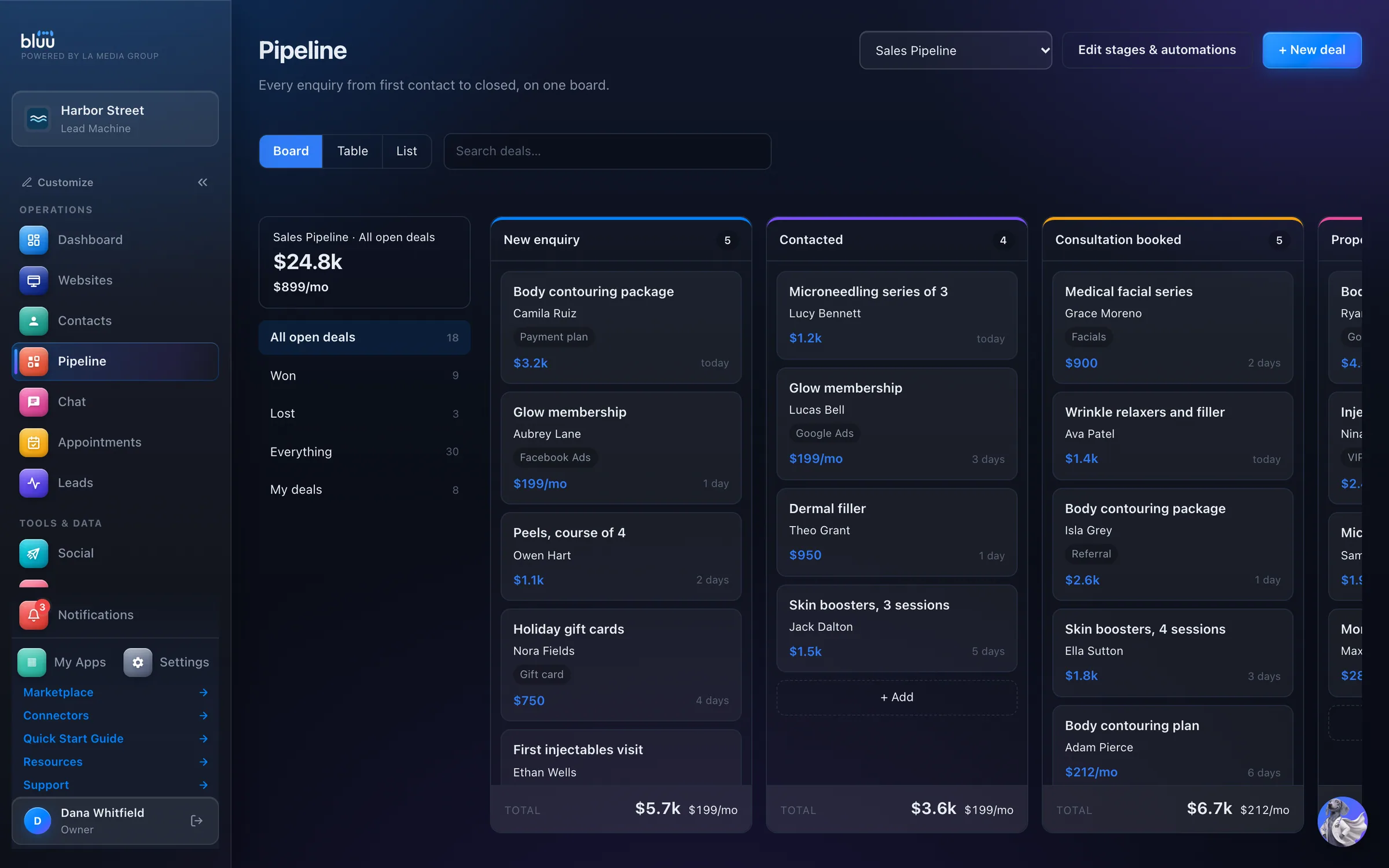
Shown with Harbor Street, a sample business.
What Pipeline does
Pipeline is a board of every deal you have in play: who it's for, what it's worth and which stage it has reached. Drag a card to the next column, or open it and change its stage. The totals at the foot of each column update as you go.
Each stage can do work on its own. When a deal lands there it can email or text the customer, remind someone on your team, add a note or move the deal on, straight away or up to 90 days later. Move the deal before then and anything still queued is canceled, so nobody who already said yes gets chased.
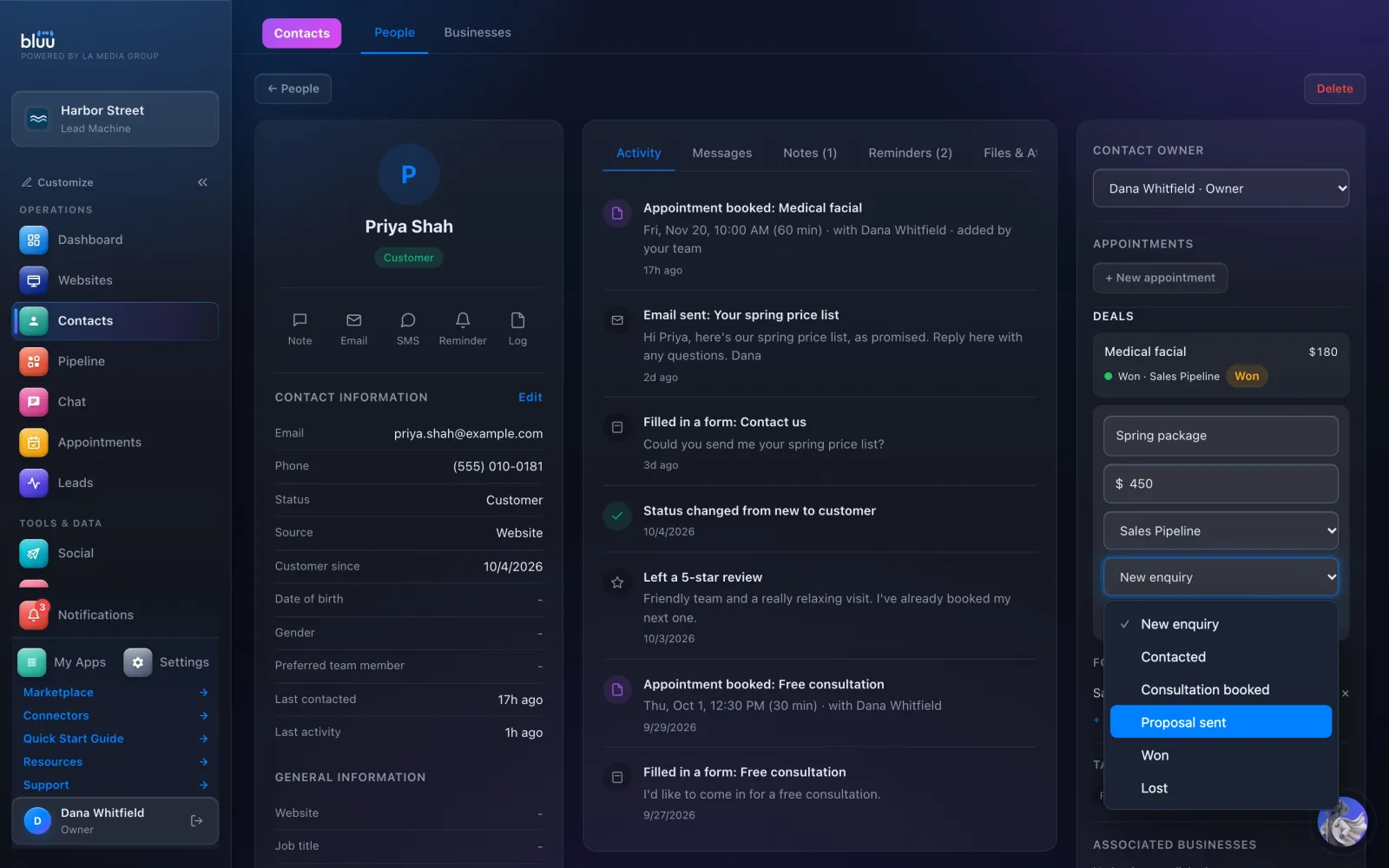
Every deal belongs to a contact, so its history sits on that person's card. Run as many boards as you need, each with its own stages and its own follow-ups.
Follow-ups run from the stage a deal is in. Nobody has to remember to chase a quote.
Moving a deal cancels whatever was queued for it. A customer who already said yes never gets a message asking if they're still interested.
Won and lost come from the stage, so there's no status to forget. The board and the totals always agree.
At a glance
Sales, referrals, onboarding: as many boards as you need, each with its own stages.
Send an email or a text, add a reminder or a note, move the deal, tag it, add a follower, change the owner. Nine things, on their own.
Straight away, or up to ninety days later. Checked every minute.
Leave a stage and its queued follow-ups cancel, so a customer who already said yes never gets a 'still interested?'
Won and lost come from the stage, so the board and the numbers always agree.
Every deal points at a contact, so its history sits on their record.
How it works
Press + New deal and pick who it's for from your contacts, or add them on the spot. Give it a name, a value and a stage. Deals can also start from a contact's card, a booking, a chat or a lead.
Open Edit stages & automations. Name each column, say whether it counts as in progress, won or lost, pick its color and drag it into place. Then press Save stages.
Under any stage, press + When a deal lands here… and choose what should happen and when. A text two days later, a reminder for the deal's owner, a note on the deal.
Drag the deal along as things progress. The new stage's automations start, and anything still waiting from the last stage is canceled.
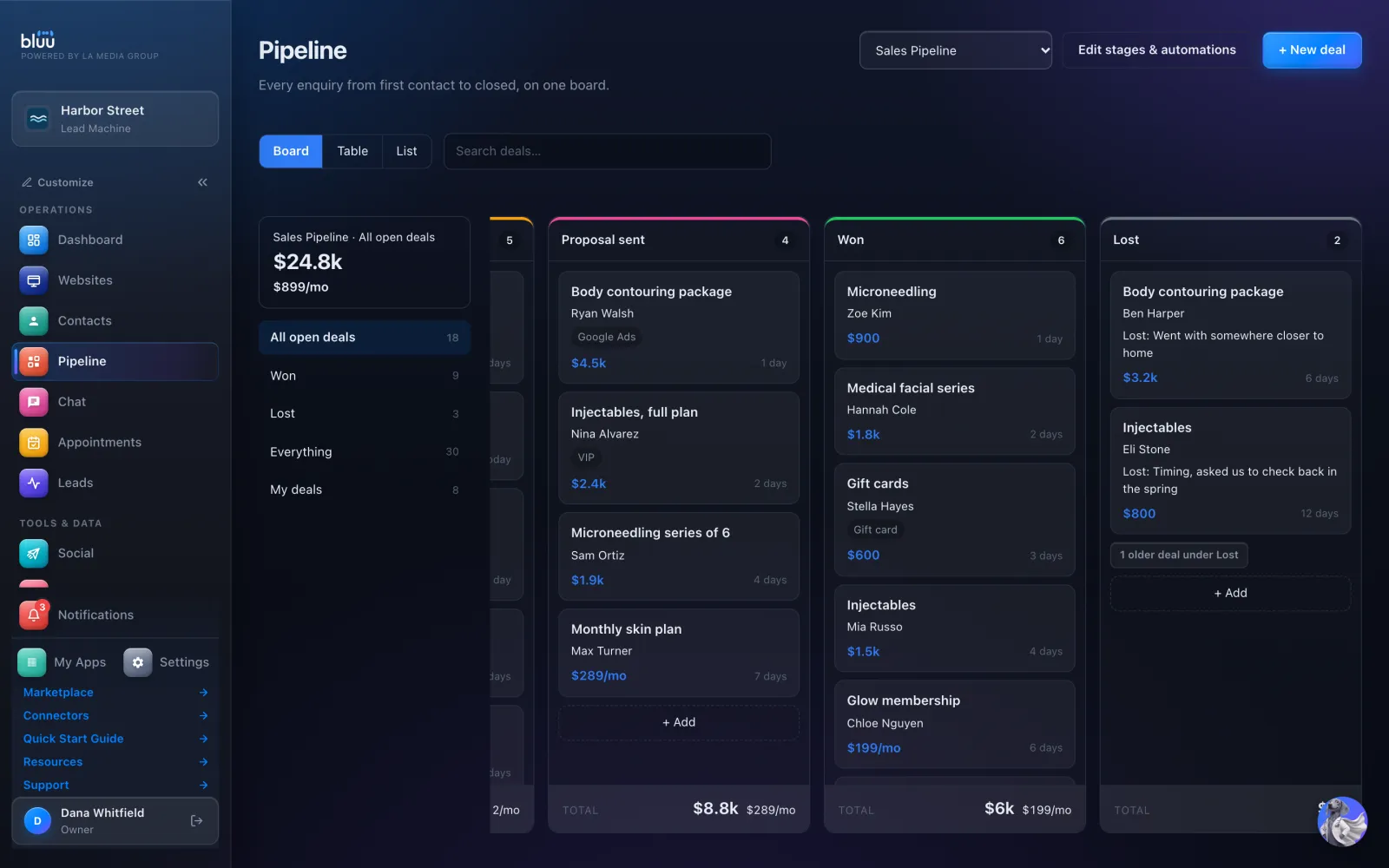
Drop it on Won, or on Lost with a note on why. The rest of your team is alerted when a deal is won, and recent wins and losses stay in view on the board.
In depth
Every deal, what it's worth and where it stands, in one view.
Nine things a stage can do by itself the moment a deal lands in it.
Every deal points at a contact, so nothing lives in two places.
Sales, onboarding or anything else, side by side.
See more of it
It talks to the rest of Bluu
Yes, as soon as the deal moves. Moving a deal to another stage cancels anything still queued for it, and the Automation log shows it as canceled with the reason.
Emails from a stage are included. Texts are paid from your prepaid balance each time one runs, and they go out from your business phone number. A stage's text shows a Costs money badge so it's never a surprise.
Yes. Add as many boards as you need from the board picker, each with its own stages and automations. To move a deal to another board, open it and change its Pipeline.
Move it into a stage that counts as won. There's no separate status to set, so a deal can't sit in Won still showing as open.
Yes. By default staff can view Pipeline, and owners and managers can edit it. Change what each role can do under Settings > Roles.

Start free for 7 days. Then $149 a month, locked in.